


Question
I’m just starting to experiment with encrypting backups, I think I now understand it and have got the process working, but something strange is happening with restoring.
On Server A (SQL 2014 Standard) I have created a new master key and certificate and successfully produced an encrypted bak file and have also exported the key and cert files.
On Server B (SQL 2014 Developer) I have successfully restored the master key and certificate from Server A.
I know these are working fine as I can restore the encrypted bak file successfully to both servers using the syntax:
OPEN MASTER KEY DECRYPTION BY PASSWORD = 'xxx';
RESTORE DATABASE testDb FROM DISK = 'C:\testDb.bak' WITH STATS = 5;
CLOSE MASTER KEY;
But it’s not the same story when using the Restore Database tool in SSMS.
It works fine when restoring to Server A.
But when using the UI to restore to Server B, it just gives a basic message of No backupset selected to be restored.
Why would this be?
UPDATE: I’ve just noticed when using the commands to restore the backup, it will only work on Server B if I open the master key first otherwise it gives the message Please create a master key in the database or open the master key. On Server A I do not need to do this, it’s as though the key is always open on Server A>
Asked2019-10-30byuserSteve
Answer
I’d suggest you try tearing down your setup and starting over. You should be able to restore from the SSMS GUI, so long as your certificates are all in place. Without having your setup scripts, it’s hard to troubleshoot what might have gone wrong.
First, on Server A, you’ll want to create a master key:
USE master
GO
CREATE MASTER KEY ENCRYPTION BY PASSWORD = 'SecretPassword!';
Then, create you certificate to use in backups:
USE master
GO
CREATE CERTIFICATE BackupEncryptTestCert
    WITH SUBJECT = 'AMtwo_BackupCertificate';
And backup that certificate so you can restore it on the other server:
BACKUP CERTIFICATE BackupEncryptTestCert
    TO FILE = 'C:\temp\AMtwo_BACKUP_CERTIFICATE.cer'
    WITH PRIVATE KEY
    (
        FILE = 'C:\temp\AMtwo_BACKUP_CERTIFICATE_PRIVATE_KEY.key',
        ENCRYPTION BY PASSWORD = 'Super-DuperSecretPassword!'
    );
And now, take your encrypted backup (you could use the GUI, but here’s the T-SQL):
BACKUP DATABASE Floop
    TO  DISK = N'C:\SQL\BAK\Floop.bak'
    WITH INIT, FORMAT,
        ENCRYPTION(ALGORITHM = AES_256, SERVER CERTIFICATE = BackupEncryptTestCert);
Now, we’ll flip over Server B, and create a master key (Note: I don’t actually need to backup/restore the master key from the other server):
USE master
GO
CREATE CERTIFICATE BackupEncryptTestCert
    WITH SUBJECT = 'AMtwo_BackupCertificate';
And now create that certificate from the backup:
CREATE CERTIFICATE BackupEncryptTestCert
    FROM FILE ='C:\temp\AMtwo_BACKUP_CERTIFICATE.cer'
    WITH PRIVATE KEY
    (
        FILE='C:\temp\AMtwo_BACKUP_CERTIFICATE_PRIVATE_KEY.key',
        DECRYPTION BY PASSWORD = 'Super-DuperSecretPassword!'
    );
Finally, go to the Restore Database GUI, and select the database backup we created from Server A:
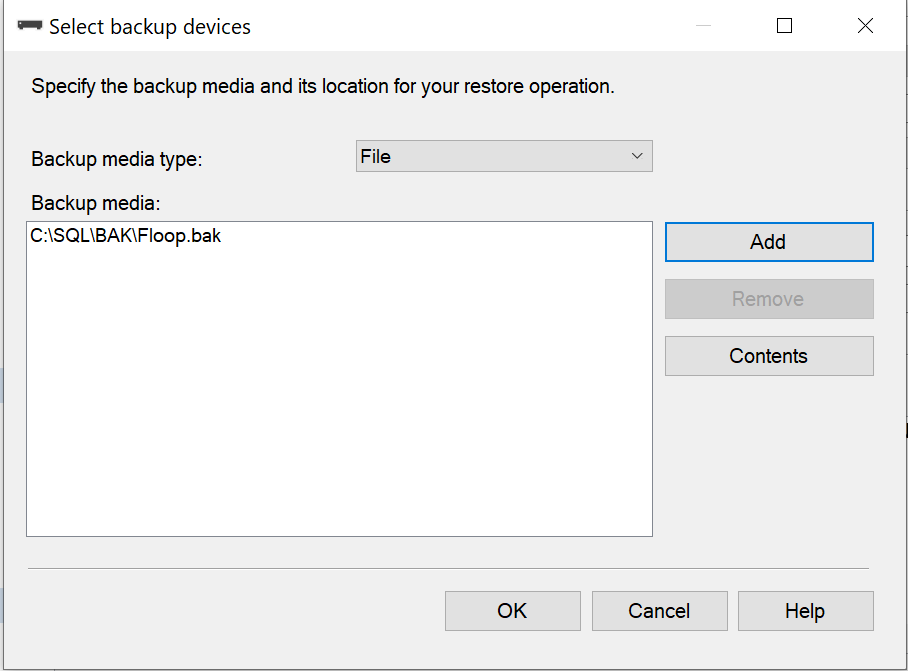
And you’ll see that it successfully reads the backup file, and shows the backup set in the bottom grid of the Restore Database screen:
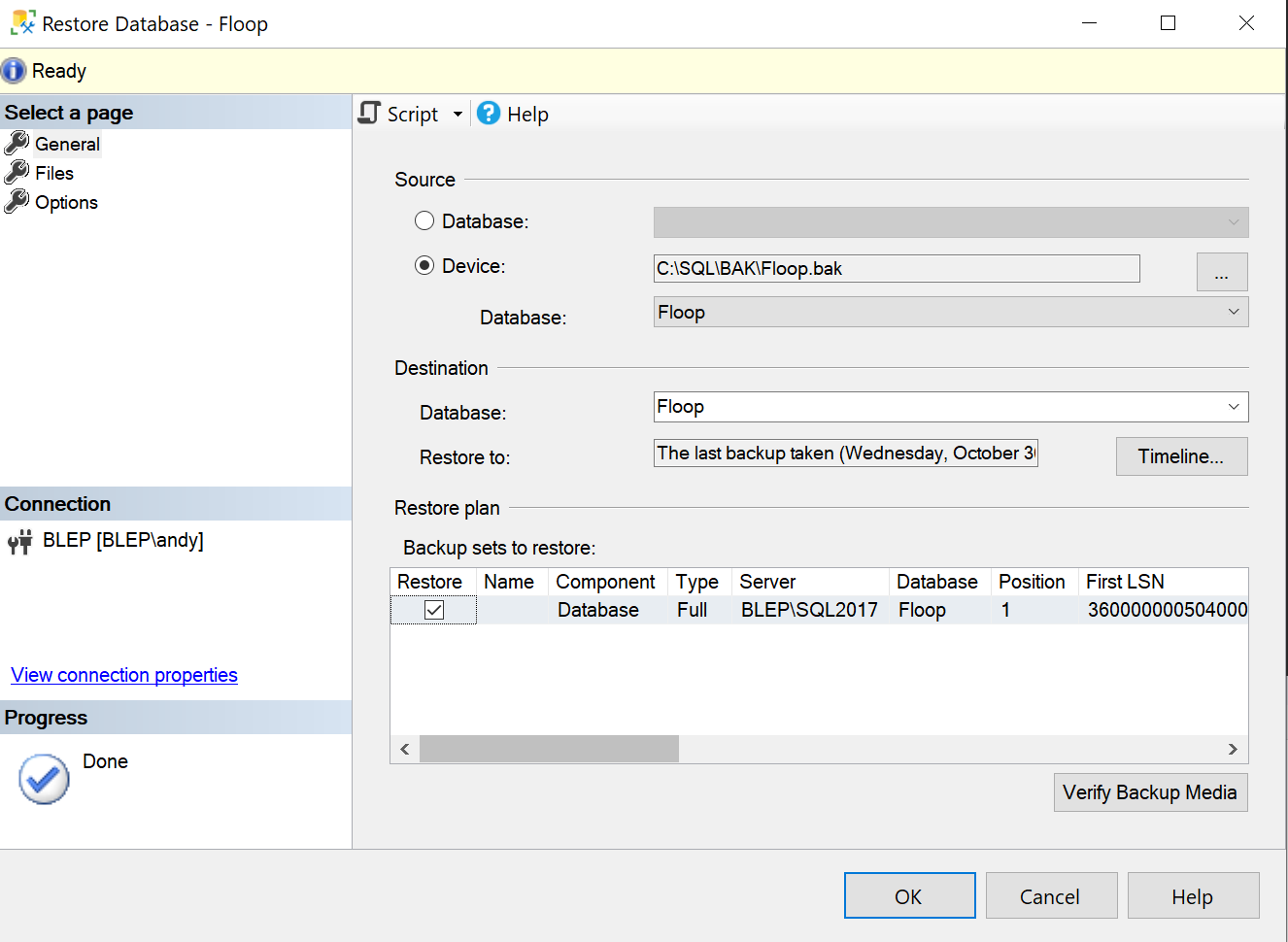
Hit OK, and everything is restored successfully. (You may need to go to the “Files” screen to modify the location of the data files to be restored.)
Answered2019-10-31byAndy Mallon