

In SQL Server, auto-update statistics is a database level setting. It’s right there:
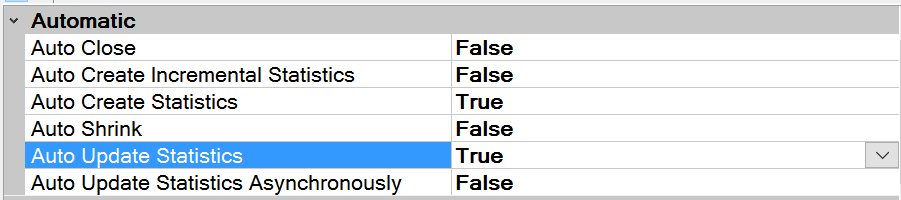
I’m not going to say whether I think Auto Update Statistics should be on or off. Instead, I’m going to argue that there are definitely scenarios when you want to have this on AND there are scenarios where you want it turned off. Can you really have this both ways? Absolutely.
sp_autostats
With the sp_autostats system stored procedure, you can toggle auto update statistics on or off for an index, table, indexed view, or statistics object.
To enable/disable auto update stats for a specific table or indexed view, use this syntax:
--Disable
EXEC sp_autostats @tblname = 'dbo.MyTable', @flagc = 'OFF'
--Enable
EXEC sp_autostats @tblname = 'dbo.MyTable', @flagc = 'ON'
To enable/disable auto update stats for a specific index or stats object, use this syntax:
--Disable
EXEC sp_autostats @tblname = 'dbo.MyTable', @flagc = 'OFF', @indname = 'StatOrIndexName'
--Enable
EXEC sp_autostats @tblname = 'dbo.MyTable', @flagc = 'ON', @indname = 'StatOrIndexName'
That’s it–its pretty straightforward. If you want to read up on some of the additional details, check out the BOL article.